What is actually going away
Microsoft confirmed it will retire the free Office 365 A1 license, the Student Use Benefit, and the 100TB base storage allocation for education customers at each institution's first contract renewal or extension on or after January 1, 2028. Free Exchange Online for Alumni retires on that same schedule, replaced by a new paid alumni option that institutions will need to budget for separately going forward. None of this is immediate for any single customer. Institutions keep their current terms fully intact until their own specific renewal date arrives, which is a meaningfully different rollout pattern than an abrupt, company-wide cutoff applied on a single fixed date.
In its place, Microsoft introduces A0, a no-cost student edition that still includes Office desktop and web apps, Minecraft Education, OneDrive for Business, and Microsoft Entra ID Free. It explicitly excludes Classroom, Teams, Exchange Online email, and SharePoint from the free tier entirely. Eligibility requires active use of Windows devices for education purposes and full paid faculty coverage on A2 or higher across the institution, which means the free tier for students now depends directly on the institution already paying for its staff licenses.
A dedicated app, and a new top tier
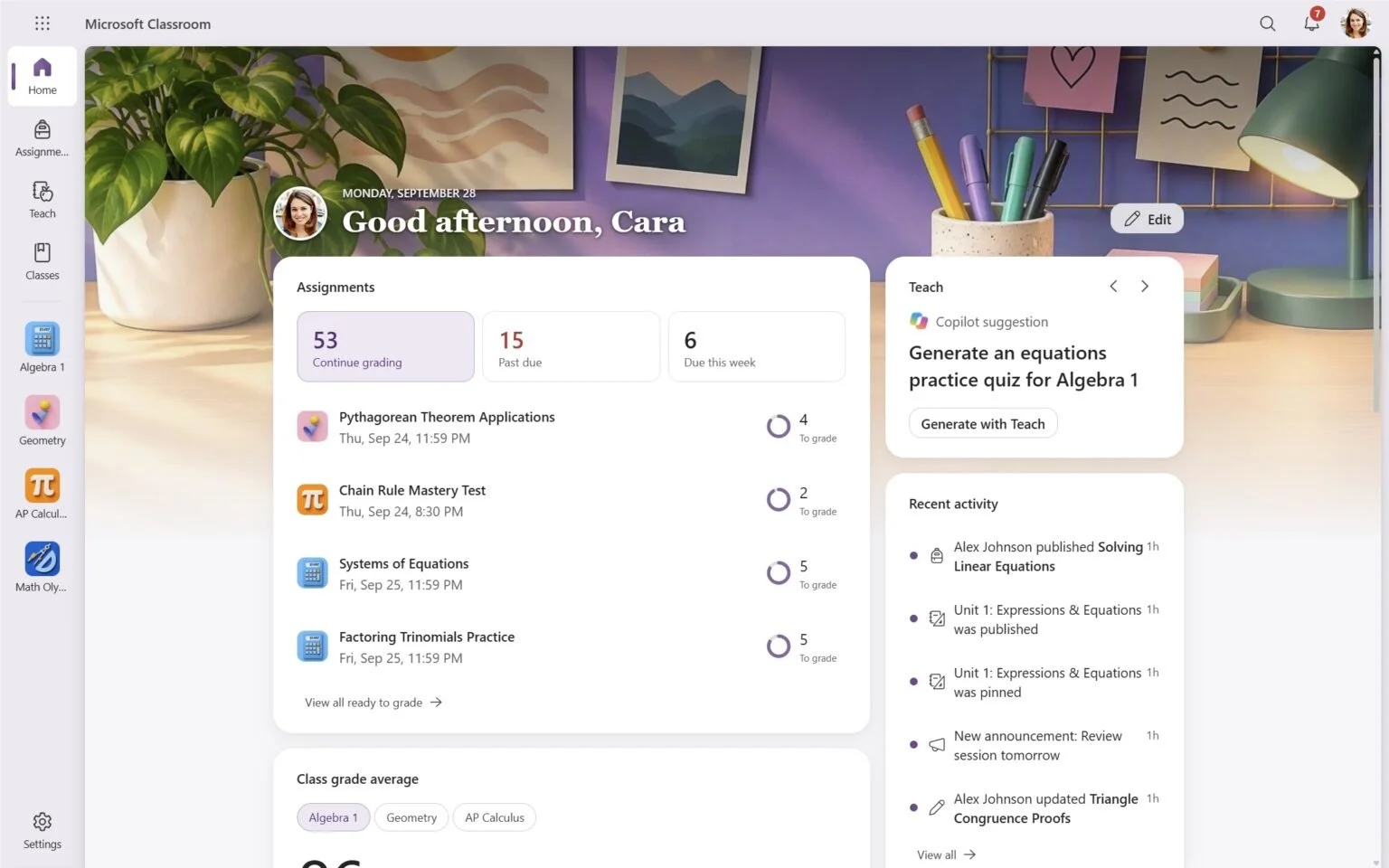
Microsoft Classroom, a dedicated K-12 and university teaching app, absorbs Class Notebook, Learning Accelerators, Education Insights, School Data Sync, and personalized homepages into one consolidated product, alongside a new Study and Learn Agent available to eligible students. It is available from A2 upward, meaning the functional core of day-to-day teaching and learning now sits inside a paid tier rather than remaining in the free one that institutions previously relied on by default.
Above the existing A5 license, Microsoft introduced A7, which bundles Microsoft Copilot, Microsoft Agent 365, and Entra Suite together with security, governance, and device management features in a single package. A7 became generally available on October 1, 2026, ahead of the rest of this restructuring. Faculty-specific upgrades follow a similar logic to the student side: A3 Faculty adds Defender for Office 365 Plan 1, and A5 Faculty adds Intune Suite, both arriving without, according to Microsoft's own statement, any rise in existing faculty suite list prices that already include Teams.
What the new top tier tells you about pricing strategy
Placing Copilot, Agent 365, and Entra Suite together at the top of the stack, above the previous ceiling set by A5, is the clearest signal buried in this entire announcement. Microsoft is not offering AI agent capability as a simple add-on module that customers can bolt onto any existing tier they already hold. It is positioning agentic AI as the primary justification for an entirely new, higher-priced license level, with security and governance features bundled directly alongside it rather than sold as separate line items customers could pick and choose from.
Kees Hertogh, Microsoft's Vice President of Global Industry Marketing, framed the changes as preserving flexibility, stating that institutions can use Microsoft Classroom and other learning features alongside their preferred collaboration platform of choice. That framing is accurate as far as it goes, but it leaves out the more important structural point. The functional floor for what counts as a genuinely usable license is rising across the board, and the new top tier is exactly where Microsoft is choosing to place its most strategically important products going forward.
Storage tied to tier, not institution
The removal of the flat 100TB base allocation in favor of per-user storage tied directly to license level is a structural change worth understanding entirely on its own terms, separate from the pricing debate. Student licenses now add 4GB of storage at A2, 8GB at A3, and 12GB at A5 or A7. Faculty licenses add 50GB, 75GB, and 150GB respectively across those same three tiers. Total institutional storage capacity becomes a direct, calculable function of how many users sit on which specific license, rather than a shared pool that administrators could previously allocate freely across departments as needs shifted.
This mirrors a pattern already familiar from commercial Microsoft 365 agreements, where storage and advanced features increasingly gate behind higher-priced SKUs rather than scaling with simple seat counts. Education customers are effectively getting an accelerated, more visible version of a shift that enterprise customers should reasonably expect to see formalized in their own Enterprise Agreement renewals over a comparable multi-year window, just with less public documentation of the exact mechanics along the way.
Why this is worth reading even without any schools
Microsoft's phased timeline here, A7 generally available in October 2026, new A2 editions arriving in December 2026, standardized Academic Volume Licensing pricing beginning in May 2027, and the final retirements landing in January 2028, is a reusable template for how the company sequences a price restructuring without triggering immediate customer revolt. Enterprise technology leaders managing their own commercial Microsoft relationship should expect Copilot and Agent 365 bundling to follow a comparable multi-year glide path rather than arriving as a single renewal-cycle shock with no advance warning.
The practical risk sitting underneath all of this is complacency. Because nothing changes immediately for any given institution, it becomes easy to file this entire announcement under someone else's problem until a renewal date finally arrives and the new terms apply all at once with no further negotiating room. The institutions that come out ahead will be the ones actively modeling total cost of ownership against the new tier structure right now, well before their account team walks them through it at the renewal table itself.
What to do before your own renewal lands
Treat this announcement as a forcing function to audit your current Microsoft education or enterprise licensing mix against the new tier boundaries while there is still time to act on the findings. Identify which specific users actually need Classroom, Copilot, or Agent 365 functionality in practice, and which can sit comfortably on a lighter tier without losing anything they genuinely use today. Measure current storage consumption per user class now, while the flat allocation still technically exists, so you have a real, defensible baseline to negotiate against rather than simply accepting Microsoft's default per-tier figures at face value.
Most importantly, use this multi-year phase-in window to negotiate pricing protection well ahead of your own renewal date, rather than showing up after the new Academic Volume Licensing structure fully standardizes in May 2027. Vendors rarely extend their best available terms to customers who arrive at the negotiating table only after a structural change has already taken full effect across the market, when the pricing framework has already hardened into place and there is little room left to argue for custom terms. Build the licensing audit, the storage baseline, and the renewal timeline into a single document your procurement and IT teams both own jointly, so the conversation with your account team starts from your own numbers rather than from whatever default tier Microsoft proposes first.